- DATE:
- AUTHOR:
- Team LaunchNotes
A New ⌘K and a Home for Scheduled Announcements
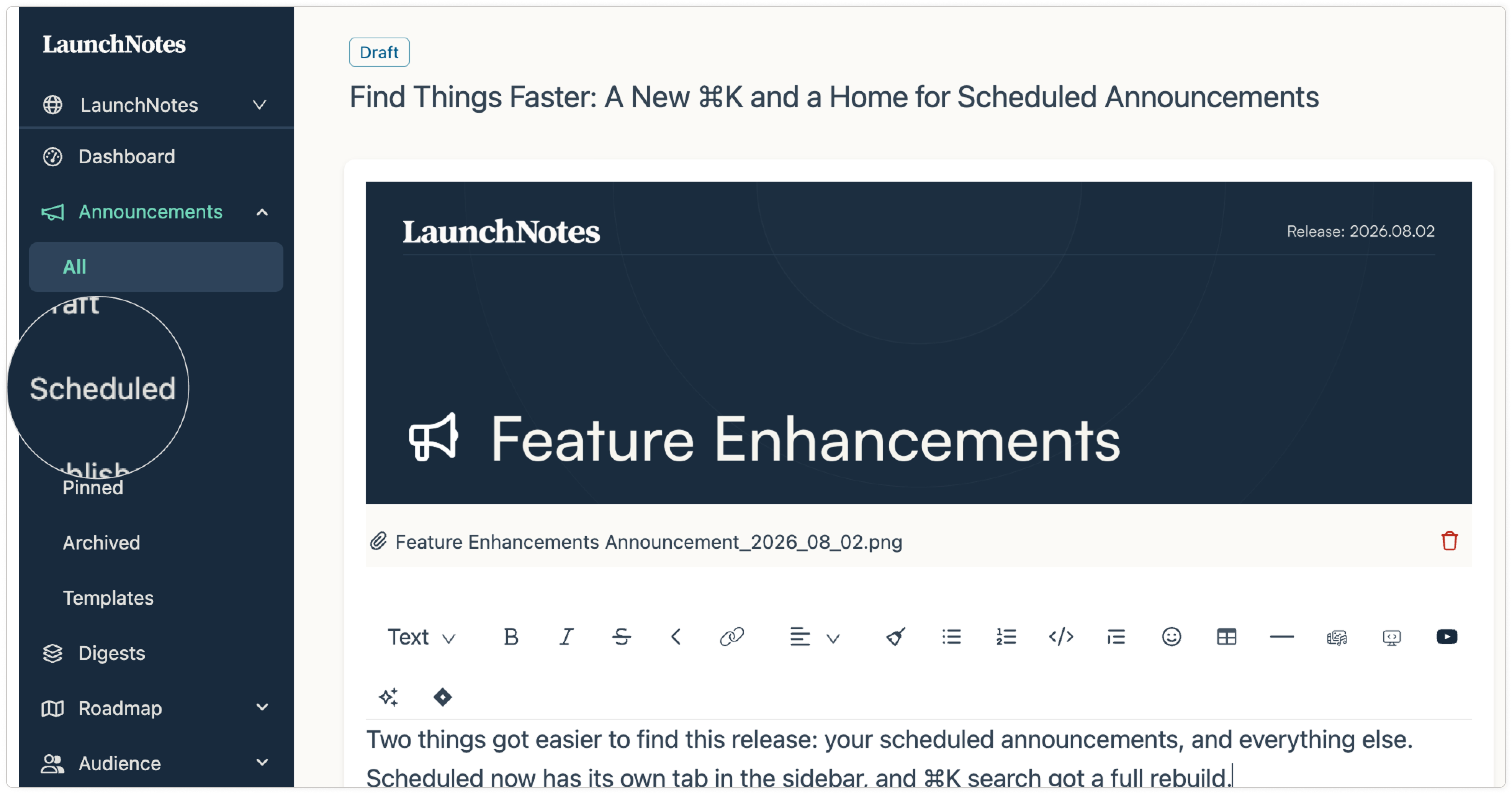
Two things got easier to find this release: your scheduled announcements, and everything else. Scheduled now has its own tab in the sidebar, and ⌘K search got a full rebuild.
Scheduled is now its own tab in the Announcements sidebar. It sits between Draft and Published, so what you're looking for is one click away. The rest of the sidebar now follows an announcement's actual life — All, Draft, Scheduled, Published, Pinned, Archived, Templates — and the selected row is easier to spot at a glance.
⌘K got a rebuild. Press ⌘K (Ctrl+K on Windows) anywhere in LaunchNotes to search announcements, roadmap items, ideas, subscribers, and domains by name. It's quicker off the mark, it holds its position as results load, your results carry over as you refine a search, and there's a real empty state when nothing matches. Results are grouped the same way your sidebar is, so what you find lines up with where it lives.
No new menus to learn. Just fewer clicks between you and the thing you were already looking for.
Also in this release
Pinned announcements. In some cases, a pinned announcement could cause problems with how your public page loaded. Resolved.
Month and quarter navigation. Announcements published on the last day of a month or quarter now show up under that period on your public page. Previously a few could be missed.
Project settings. Saving a setting now saves only what you changed. Fields you never touched — Tone & Voice, Slack customization — could previously be affected by an unrelated edit.
Feedback inbox. In rare cases the inbox could appear empty when someone who left feedback was no longer part of your audience. Fixed.
Management API.
publishAnnouncementwith a Management API token has been restored, so publishing and scheduling can run end-to-end through the API.Feedback inbox typography. Tightened up so the inbox is easier to scan.
Scheduling and Slack setup are both covered in the help center - links attached. If something on your end still takes more clicks than it should, that's exactly what we want to hear about next.