- DATE:
- AUTHOR:
- Team LaunchNotes
- RELATED ROADMAP ITEMS:
- Secure Content for Private LaunchNotes Pages
Transparency and Alignment while Maintaining Privacy
Introducing Secure Content — an extension of the same authentication that protects your private LaunchNotes page to every asset on it, so images, diagrams, and file attachments are only accessible to the people who are supposed to see them.
Key capabilities
Assets uploaded to private projects — images, diagrams, file attachments — can now be authentication-gated and private
Viewers must be authenticated to access the project page and any asset within it
Available on Premium and Enterprise plans, Secure Content locks down content so it's only visible to people who are signed in to your private LaunchNotes page.
When it's on
Every image in your announcements can only be loaded by a signed-in subscriber. Anyone outside your audience — a forwarded link, a screenshot, a search engine — gets nothing.
Outbound notifications are delivered as Excerpts (essentially text-only). Email and Slack notifications become excerpt-only. No full content, no embedded images.
How it works
When you enable Secure Content, every asset is protected by the same authentication your project page requires. Viewers must be authenticated to see both the page and anything on it.
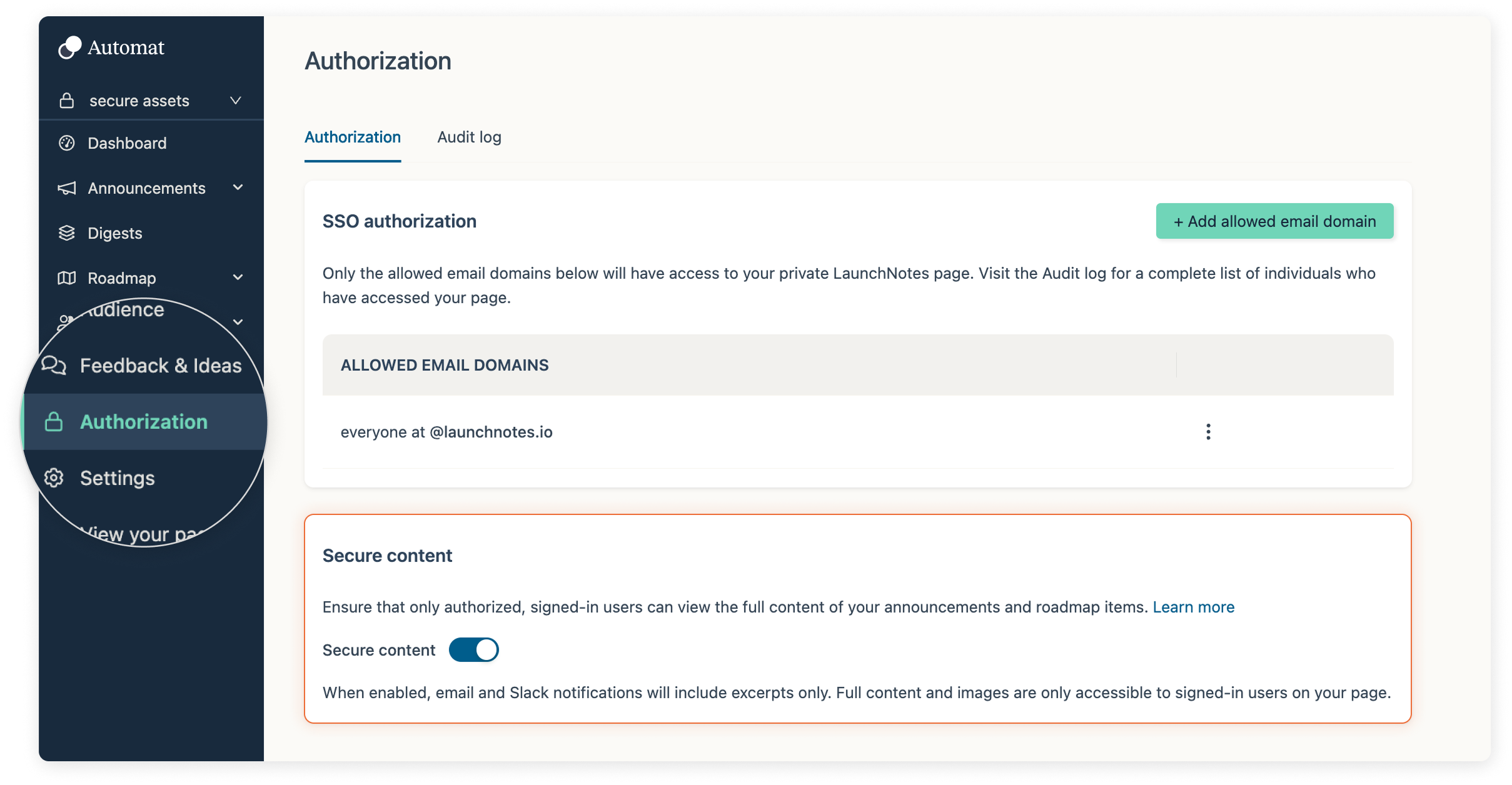
No additional configuration is needed beyond enabling the feature; it works the same way your existing private page access does.
How to get started
Secure Content is available on Premium and Enterprise plans and is currently rolling out to qualifying accounts. Reach out to support@launchnotes.io to learn more or request access.