- DATE:
- AUTHOR:
- Team LaunchNotes
- RELATED ROADMAP ITEMS:
- Subscriber Self-Service: Category Selection
- Admin: Subscriber Management Enhancements

Subscriber Management: Better Targeting, Less Noise
Subscriber Category Self-Selection
Starting today, category selection is required at sign-up by default on your LaunchNotes page.
When a visitor subscribes to your LaunchNotes product updates, they'll be prompted to choose at least one category to complete sign-up.
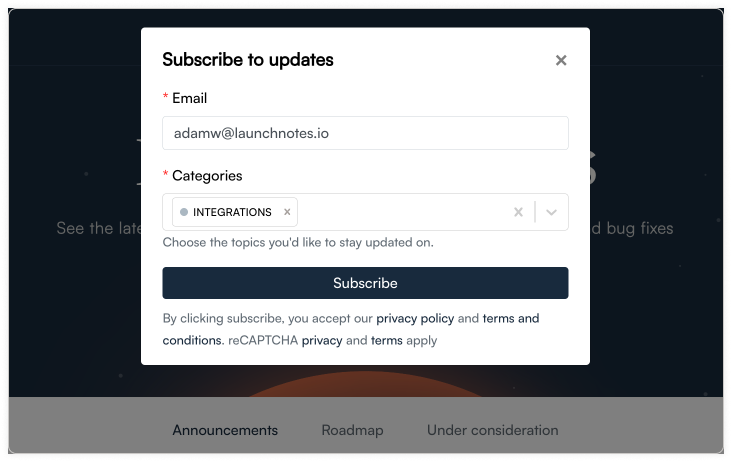
With this update, you'll get cleaner subscriber data from the start, and your subscribers only receive the updates with the categories that are most important to them. Better targeting, less noise.
Want to turn it off? Head to Settings > Categorization > Categories and scroll to the Subscription settings section at the bottom. Toggle off Require category selection on sign up and save.
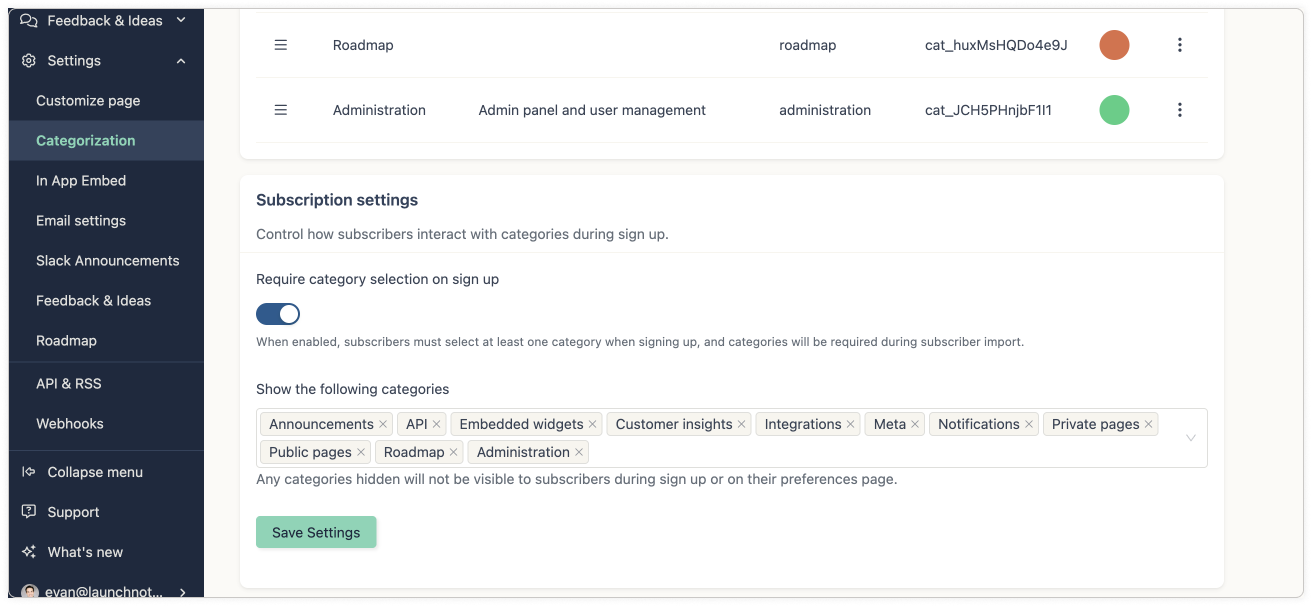
Want to control which categories subscribers can see? That same section lets you choose which categories appear in the sign-up flow—handy if you have internal-only categories you'd rather keep off the public list.
Admin Subscriber Management
If you haven't explored the subscriber management enhancements we shipped in January, now is a great time to take them for a spin—especially alongside today's update.
Filter with precision. Slice through subscriber lists of any size by categories, regions, or date ranges.
Update at scale. Identify specific subscriber types and update them all at once. Add categories to hundreds of records, reassign regions, or clean up incomplete data across entire segments in a single operation.
Add subscribers directly. No CSV required—individual subscribers can be added one at a time right from the subscriber tab.
Together, these updates make it faster than ever to keep your subscriber base accurate, up-to-date, and well segmented.
As always, should you have any questions, please reach out to support@launchnotes.io and should have a request for a feature or an enhancement that you've been thinking about, let us know by leaving feedback on this announcement.